


Your store gets traffic, products land in carts, and then shoppers stall at checkout. Typing an address and card number on a phone is where many sales quietly die.
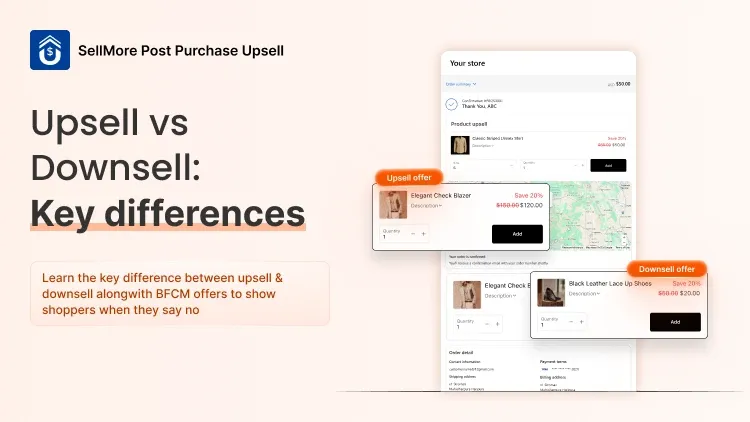
"Single click checkout" can fix two different problems on Shopify, and the right app depends on which one you have. This guide compares five options, including SellMore Post Purchase Upsell, and shows which fits which store.
What "One-Click Checkout" Means on Shopify
The phrase covers two separate things:
Accelerated checkout. Returning shoppers pay with saved details in a tap or two instead of typing everything again. Shop Pay is Shopify's version.
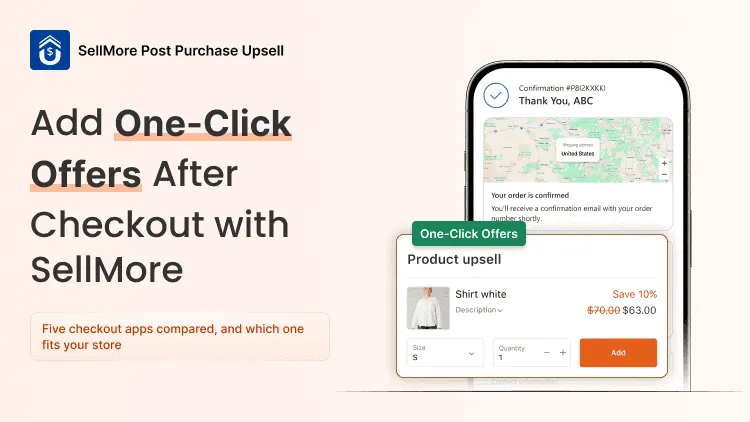
One-click post-purchase offers. After the customer pays, they see an extra product they can add with one click, without re-entering payment details. According to Shopify's developer documentation, this happens on the post-purchase page, which appears after payment and before the Thank you page.
The first gets more orders through checkout. The second makes each order bigger without adding a step before payment. Many stores use both.
5 Single Click Checkout Apps Compared
Ratings, reviews, and prices are from the Shopify App Store as of October 7, 2026.
1. Shop Pay (Built Into Shopify)
Shop Pay saves a shopper's email, shipping, and payment details, so they can check out faster on your store and on any other store that uses Shop Pay. It also gives customers order tracking through the Shop app.
How to turn it on: go to Settings > Payments, click Manage under Shopify Payments, and tick Shop Pay. Stores using another payment provider can also add Shop Pay in some countries, including the United States, according to Shopify's Help Center.
Best for: any eligible store, especially one with lots of mobile traffic. Turn it on first, because it removes the most typing.
2. SellMore Post Purchase Upsell
SellMore adds one-click offers after the customer pays, so you raise order value without adding friction before payment.
What you can do with it:
Show up to three post-purchase pages, with Pay now and Decline buttons on each offer.
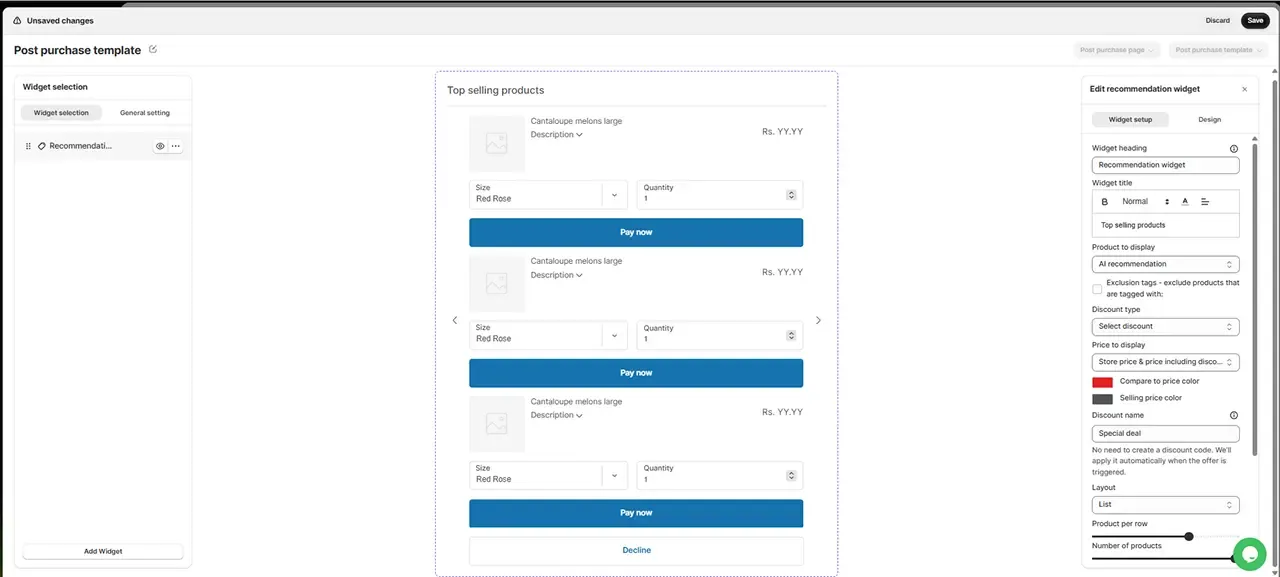
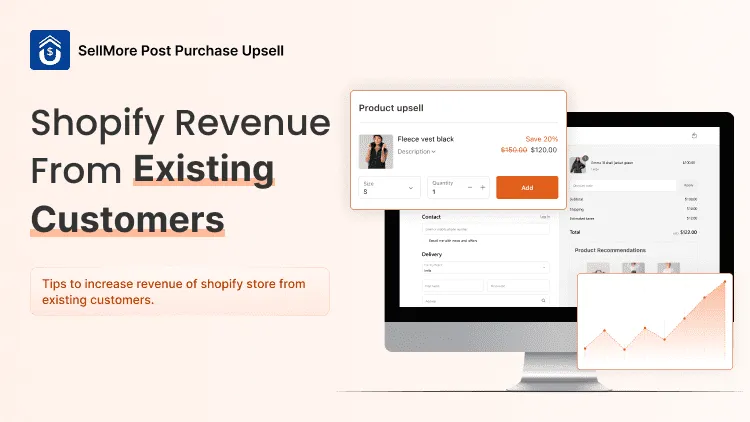
Add product upsells, recommendations, bundles, surveys, and next-order discount codes to the Thank you and Order status pages. Thank you page offers are usually accepted without re-entering payment details, and the product joins the original order.
Show checkout page offers on Shopify Plus.
Decide who sees each offer with triggers based on order value, products, collections, tags, SKUs, shipping location, or discount codes.
Apply discounts automatically, with no discount codes to create.
On Shopify Plus, Neness, a Polish fragrance store, ran a single checkout upsell with SellMore that brought in 27,584.68 PLN from 1,281 conversions.
Best for: stores that want a bigger order from customers who have already paid. Every plan includes all features, and pricing is based on order volume rather than a share of upsell revenue.
3. Aftersell
Aftersell adds one-click post-purchase upsells and downsells, Thank you page offers, and checkout offers on Shopify Plus. Its A/B testing and AI-driven "Smart Funnels" suit stores that want to test many offers.
Best for: established stores with enough orders to run meaningful tests. Paid plans start at $34.99/month, and the free plan is only for development and partner stores.
4. Qikify Checkout Customizer
Qikify is about controlling checkout rather than speeding it up. Its free plan lets you reorder, hide, or rename payment methods, customize delivery methods, and block risky checkouts with validation rules. Premium ($99/month) adds custom fields, checkout offers and add-ons, and post-purchase and B2B add-ons.
Best for: stores that need checkout rules or extra fields, especially on Shopify Plus or selling B2B.
5. Shopify Checkout Blocks
Checkout Blocks is Shopify's free app for adding content blocks, like banners, images, and text, to your Thank you and Order status pages. On Shopify Plus, it extends to the full checkout, with custom fields, address validation, order and shipping discounts, and options to hide or reorder payment and delivery methods.
Best for: stores that want a free, Shopify-built way to add messages or information after checkout. It's not built for one-click upsells.
How to Choose the Right One
Most stores do best with Shop Pay plus SellMore. Shop Pay gets more orders through checkout, and SellMore makes each of those orders bigger with one-click offers after payment.
What Makes One-Click Offers Work
Offer something that completes the order. In our experience, add-ons that cost less than a third of the order get taken far more often than a second full-price product.
Show different offers to different orders. A charging cable makes sense after a phone case, not after a pair of socks. It also helps to know where an upsell beats a cross-sell before you pick products.
Don't repeat what you offered in the cart. If you already cross-sell before checkout, the differences between cross-sells and post-purchase upsells will help you avoid offering the same product twice.
Cover customers who skip the post-purchase page. Shopify doesn't show it for some payment methods, such as Apple Pay, Google Pay, and gift cards, so add an offer to your Thank you page too. Here's what else to put on your Thank you page.
Set Up One-Click Offers with SellMore
Install SellMore and choose Quick setup, Manual setup, or Guided setup with the SellMore team.
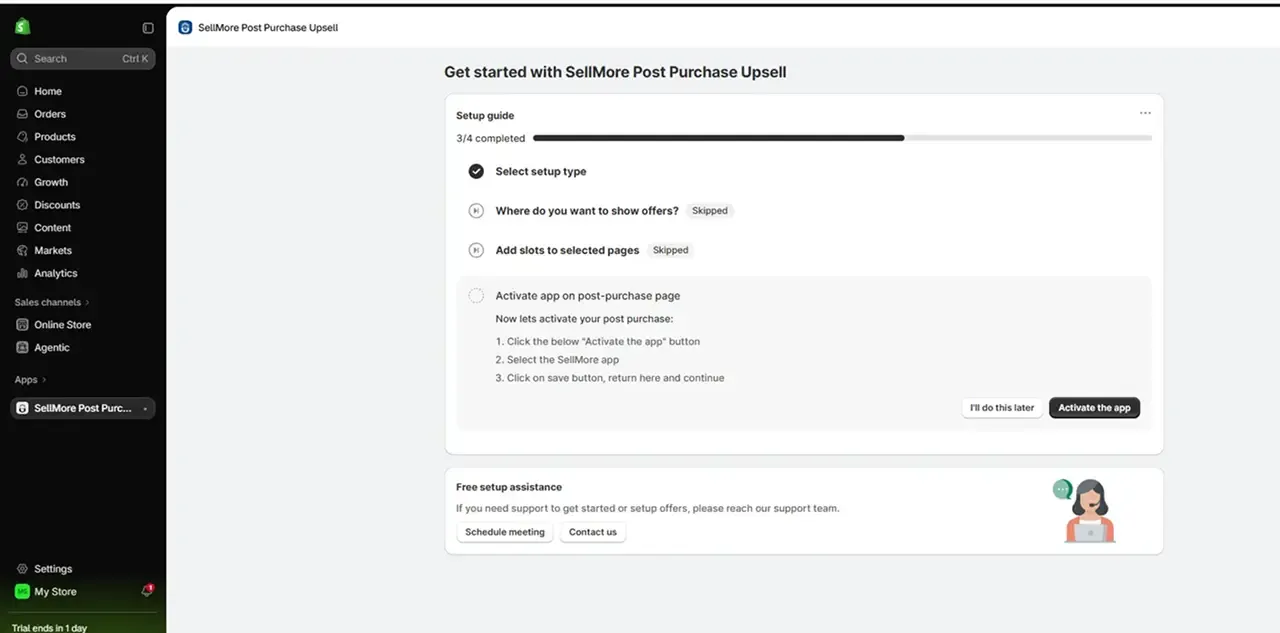
Make SellMore your post-purchase app. Click Activate the app, select SellMore Post Purchase Upsell in Shopify's checkout settings, and click Save. Then click Verify setup and Enable app.
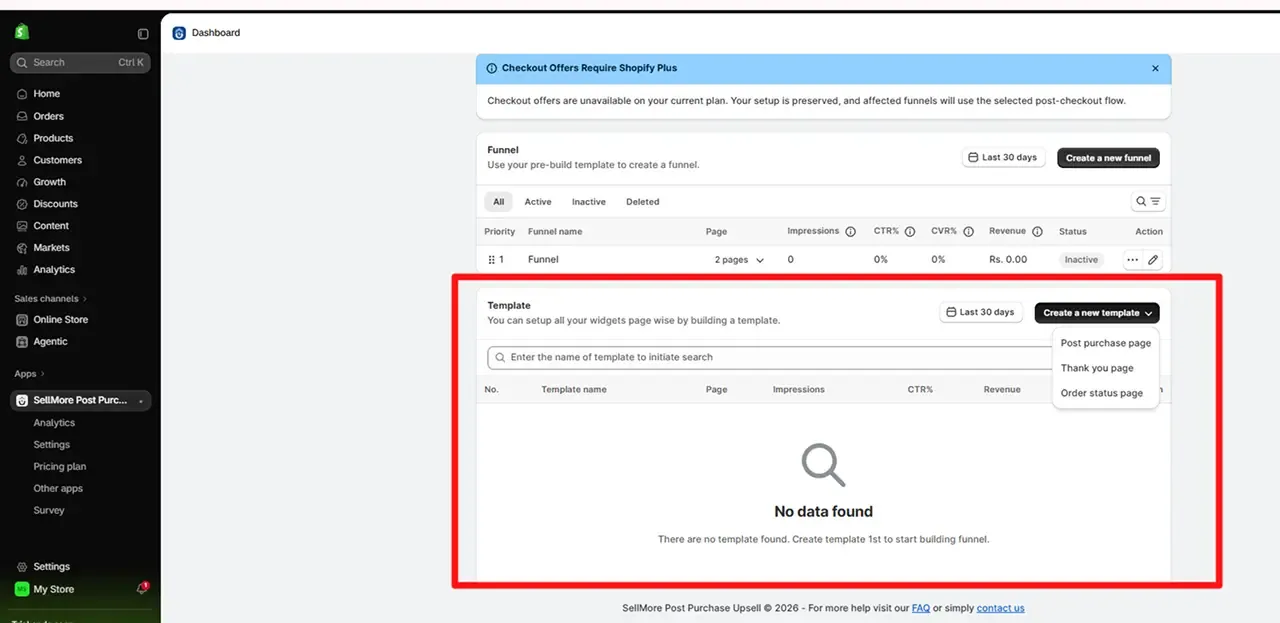
- Build a template. Go to Template > Create a new template > Post purchase page and add an Upsell or Bundle widget.
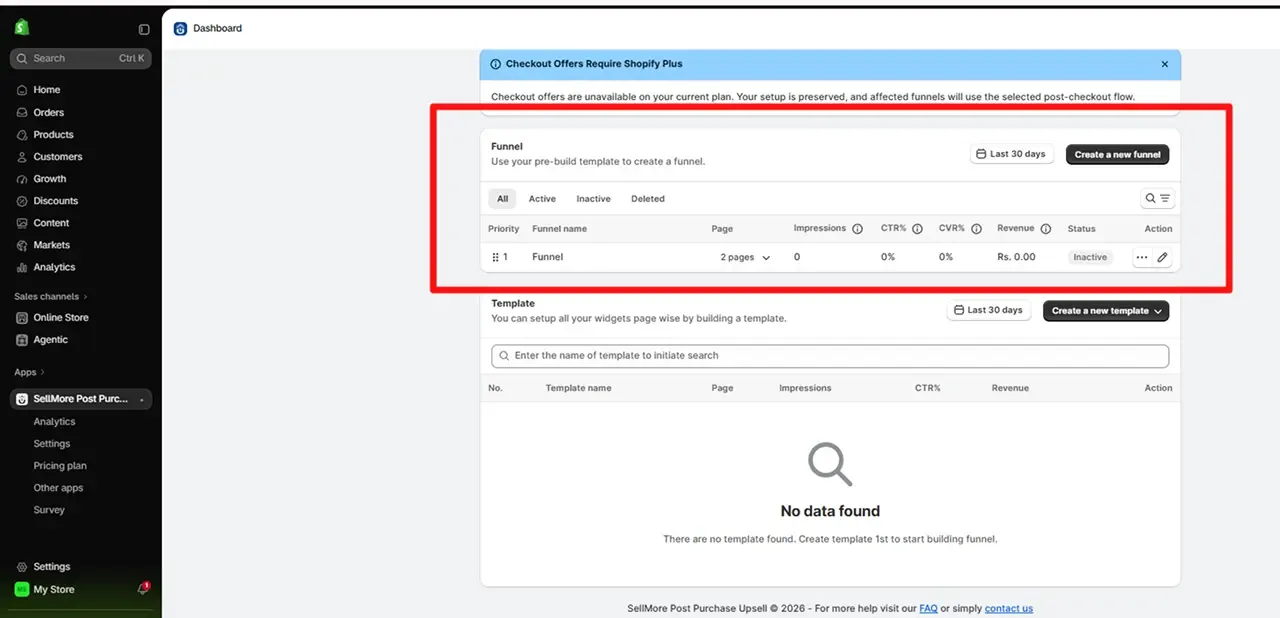
- Create a funnel. Click Create a new funnel, set a trigger, click the + next to Select page, choose your template, and click Save.
Start with Speed, Then Add a One-Click Offer
Don't chase "one-click" as a buzzword. First make checkout faster with Shop Pay. Then add one post-purchase offer that fits your best-selling product, watch it for a couple of weeks, and expand from there.
With SellMore, you can run that offer after payment, back it up on the Thank you page, and see which offers earn money, without touching code. Every paid plan includes a 14-day free trial.
Add Your First One-Click Offer with SellMore