

Features Built to Turn Every Shopify Order Into More Revenue

Works Across Checkout, Post-Purchase, Thank You, and Order Status Pages

SellMore helps you create targeted upsell funnels and display the right offers at key stages of the customer journey without interrupting the customer journey.

Launch Targeted Offers Without Coding

TAREGETED UPSELL FUNNELS

Show the Right Offer to the Right Customer

Merchant Use Case

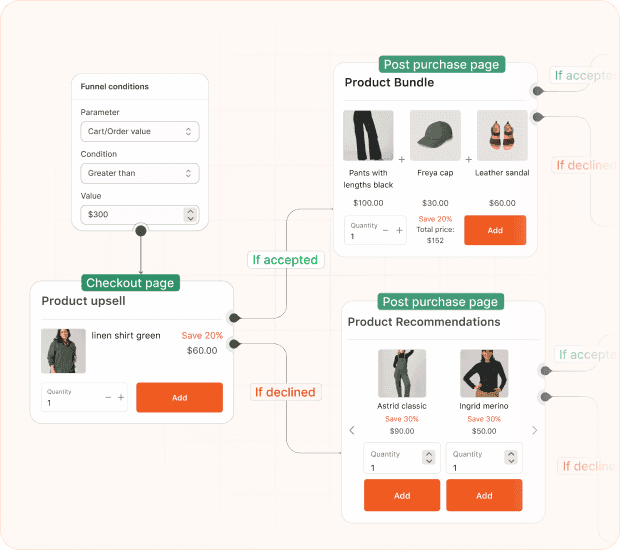
Use targeted upsell funnels when you want to display different offers based on a customer’s order value, cart products, location, discount code, or other shopping conditions.

Solution

SellMore lets you create multi-page funnels with specific triggers and offers for the Checkout, Post-Purchase, Thank You, and Order Status pages. You can decide when each offer appears and show different templates when a customer accepts or declines it.

  • Create offers for checkout, up to three post-purchase pages, the Thank You page, and the Order Status page.
  • Target customers using order value, item count, shipping location, products, collections, tags, SKUs, or discount codes.
  • Combine multiple conditions using AND or OR rules for more precise targeting.
PRODUCT UPSELL OFFERS

Show Relevant Upsell Offers to Every Customer

Merchant Use Case

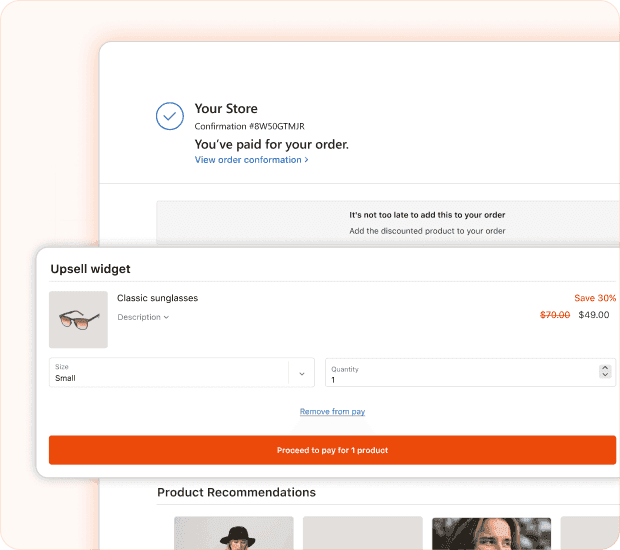
Use the Upsell widget when you want to encourage customers to add another product to their order through a relevant offer.

Solution

SellMore lets you display customized product upsells on specific pages of your store. You can also control the discount, product information, variants, and quantity options shown within the offer.

  • Display AI-recommended, newly added, collection-based, or specific products.
  • Offer percentage, fixed-amount, or per-item discounts.
  • Let customers select product variants and quantities directly from the widget.
SMART PRODUCT RECOMMENDATIONS

Help Customers Discover More Relevant Products

Merchant Use Case

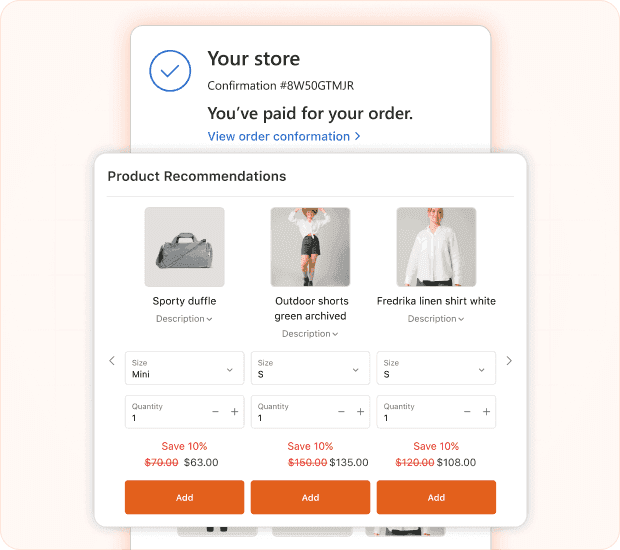
Use the Recommendation widget when you want customers to discover additional products based on AI recommendations or a selected Shopify collection.

Solution

SellMore helps you display product recommendations in a list or grid layout. You can decide how many products appear, apply discounts, exclude specific products and customize the widget to match your store.

  • Show AI-powered recommendations or products from a selected collection.
  • Choose between list and grid layouts.
  • Control the number of products displayed and products shown per row.
PRODUCT BUNDLE OFFERS

Encourage customers to Buy More Products Together

Merchant Use Case

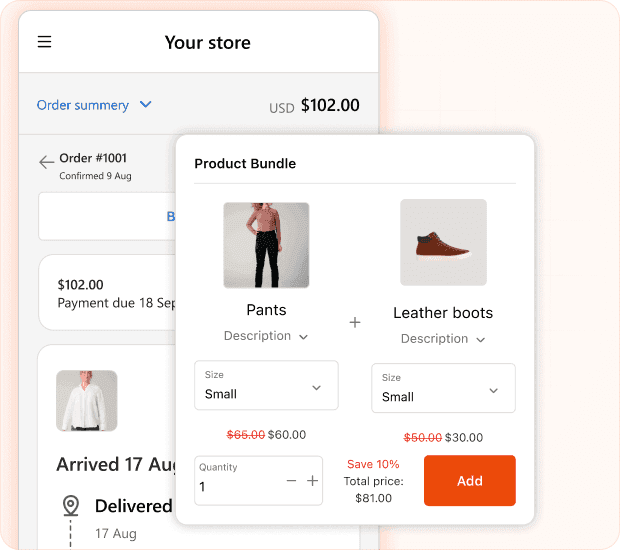
Use the Bundle widget when you want to combine related products into one convenient offer and encourage customers to purchase multiple items together.

Solution

SellMore lets you create product bundles using AI-recommended products or manually selected items. You can apply automatic discounts, set a custom bundle price, and control how products appear within the offer.

  • Create bundles using AI recommendations or selected products.
  • Add up to three products to a bundle.
  • Apply percentage discounts, fixed discounts, or a manually selected bundle price.

IMAGE WITH TEXT

Display eye-catching banners

Merchant Use Case

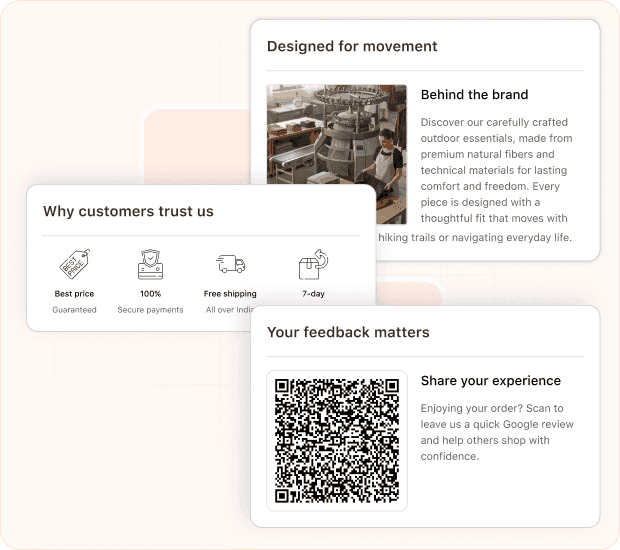
Use the Image with Text Widget when you want to promote an offer, share an important link, or build customer confidence across your checkout and post-purchase pages.

Solution

SellMore lets you combine images with headings, descriptions, and buttons. You can also generate a QR code from a URL or upload trust badges based on what you want customers to see.

  • Create promotional blocks using an image, heading, text, and optional button.
  • Convert a URL into a scannable QR code.
  • Add trust badge images to reinforce buyer confidence.
DISCOUNT OFFERS

Encourage Customers to Place Their Next Order

Merchant Use Case

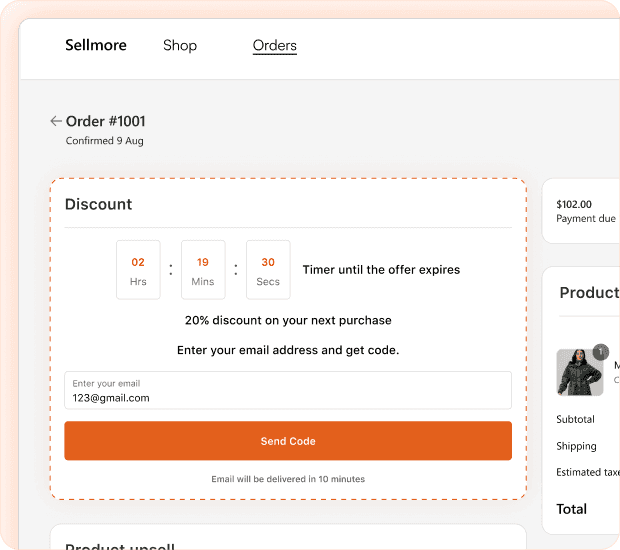
Use the Discount widget when you want to give customers an incentive to return and purchase again after they complete an order.

Solution

SellMore displays an existing Shopify discount code on the Thank You and Order Status pages. Customers can copy the code, return to a selected store page, or receive the offer by email.

  • Let customers copy the discount code with one click.
  • Redirect customers to a product, collection, or homepage.
  • Send the discount code by email immediately or after a selected delay.
COUNTDOWN TIMER

Add Urgency to Limited-Time Offers

Merchant Use Case

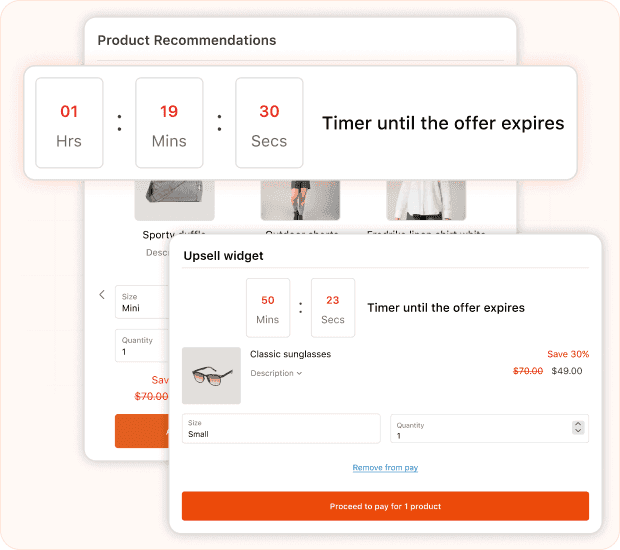
Use the Timer Widget when you want customers to act on an upsell, discount, or promotional offer before it expires.

Solution

SellMore lets you add a live countdown timer to supported widgets. You can choose the timer duration, position it above or below the offer, and control what customers see after the countdown ends.

  • Set the countdown for 10 minutes, 30 minutes, or one hour.
  • Display the timer above or below the widget.
  • Hide the widget, show an expiry message, hide the timer, or restart it when time runs out.
CUSTOMER FEEDBACK SURVEYS

Collect Customer Feedback at the Right Moment

Merchant Use Case

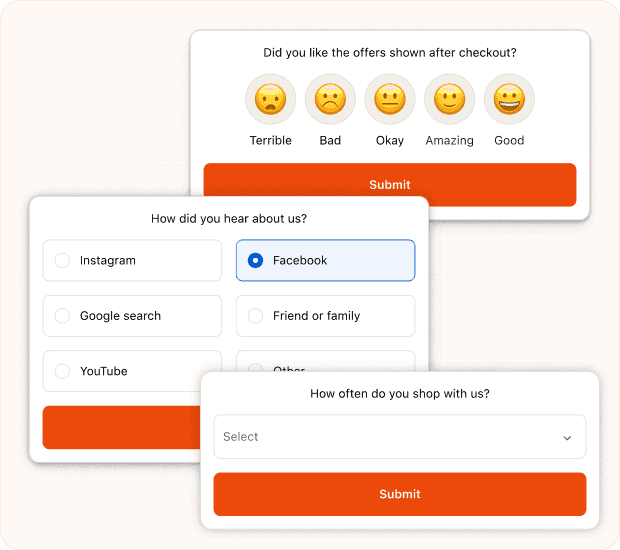
Use the Survey Widget when you want to understand customer satisfaction, product interests, buying behaviour, or how customers respond to your offers.

Solution

SellMore lets you add surveys to checkout, post-purchase, Thank You, and Order Status pages. You can choose different question formats based on the type of feedback you need.

  • Create rating scale, single-choice, multiple-choice, short-text, or dropdown questions.
  • Collect feedback immediately after customers complete a purchase.
  • Add surveys at different stages of the post-purchase journey.
REWARD PROGRESS BAR

Motivate Customers to Unlock More Rewards

Merchant Use Case

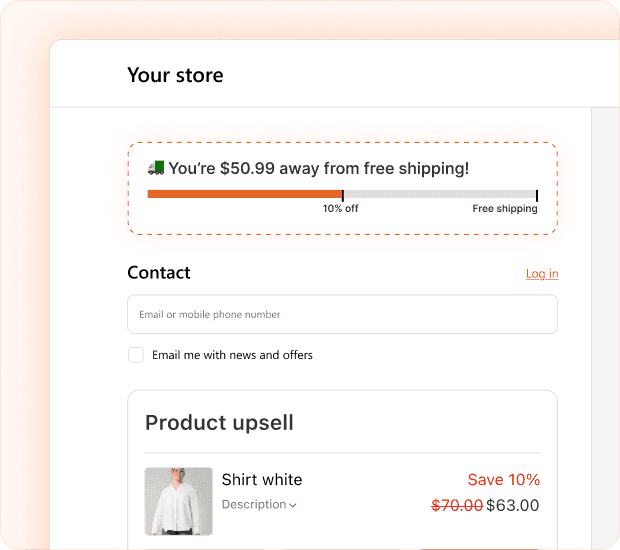
Use the Progress Bar widget when you want customers to increase their order value or add more items to reach a reward.

Solution

SellMore displays a progress bar on the checkout page that shows customers how close they are to unlocking discounts, free shipping, or free products. Progress can be calculated using the total order value or the number of items purchased.

  • Created up to five reward tiers.
  • Set milestones based on order value or item count.
  • Offer discounts, free shipping, or free products at different tiers.
GET STARTED TODAY

Turn every order into a new sales opportunity

Join growing Shopify merchants using SellMore to recover more revenue after checkout with one-click offers customers can accept instantly.