


Imagine a customer buys a jacket from your Shopify store during Black Friday. Right after checkout, you offer them a matching hoodie at 20% off.
But they click "No, thanks."
Does that mean you've lost the opportunity to increase the order value? Not necessarily.
Instead of ending the offer, you could show them a more affordable option, like a pair of winter gloves.
This is where understanding upsell vs downsell can help your Shopify store make more sales during Black Friday and Cyber Monday (BFCM).
In this guide, we'll explain the difference, what products to offer when customers say no, and how to set up these offers using SellMore Post Purchase Upsell.
What Is the Difference Between Upsell and Downsell?
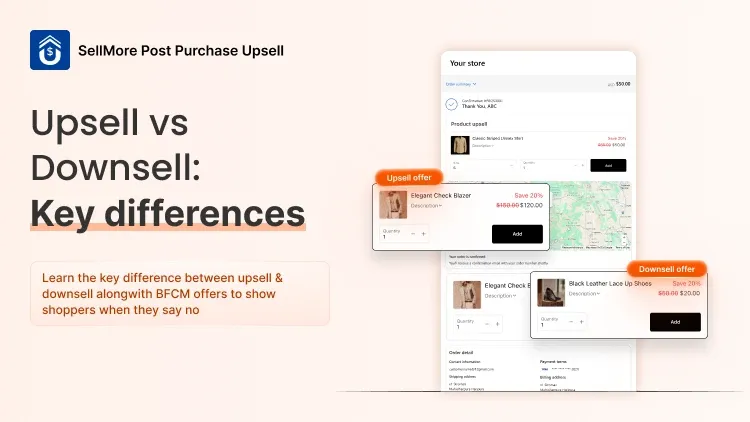
Upselling encourages customers to buy a higher-value product or add something extra to their order. Downselling offers a cheaper or lower-commitment alternative when a customer rejects the first offer.
Both strategies can increase revenue, but they work at different moments in the shopping journey.
Here's a simple upsell vs downsell comparison:
How Do Upsell and Downsell Work Together?
Let's say a shopper purchases running shoes for $80. After checkout, you show them a $30 running accessories bundle for $24.
If they accept, you've increased the order value by $24. If they decline, you show a pair of running socks for $10.
The customer may not want to spend another $24, but spending $10 might feel reasonable.
That's how upsell and downsell offers can work together to increase average order value (AOV) without requiring another website visit.
If you're preparing your Shopify store for Black Friday, don't forget to plan what happens after customers complete their purchases. SellMore Post Purchase Upsell app helps you set up post-purchase upsell, so you can make the most of every order. You can also take advantage of its Black Friday special of 50% off for life while preparing your store for the holiday rush.
Why Do BFCM Shoppers Reject Upsell Offers?
During BFCM, customers are actively searching for discounts. However, that doesn't mean they'll accept every additional offer.
A shopper may decline your first Shopify upsell for several reasons.
The product is too expensive. They may have already spent their planned Black Friday budget.
The offer isn't relevant. A customer buying skincare products may not be interested in an unrelated accessory.
They don't want another big purchase. Even if a bundle offers good value, the customer may prefer a single product.
A declined offer doesn't always mean the shopper isn't interested in buying more. Sometimes, they simply need a different offer.
What Should You Offer When BFCM Shoppers Say No?
The right downsell depends on the product they've purchased and the offer they rejected.
Here are four ways to create more attractive downsell offers for your Shopify store.
1. Offer a Lower-Priced Product
This is one of the simplest downsell strategies.
If a shopper rejects an expensive product, offer a smaller, related item that costs less.
For example, a shopper purchases a gaming laptop.
First upsell: Gaming headset for $60
Downsell: Mouse pad for $12
Both products relate to the original purchase. But the second offer requires much less spending.
BFCM tip: Choose affordable accessories that customers can easily add to their original orders.
2. Offer a Smaller Version of the Product
Sometimes, customers like the product but don't want to purchase a full-size version.
Instead of showing another unrelated product, offer a smaller version.
For example, a customer purchases a skincare cleanser.
First upsell: Full-size moisturizer for $35
Downsell: Travel-size moisturizer for $12
This strategy works well for beauty, skincare, health, and personal care stores.
It gives customers a chance to try another product without spending too much.
3. Give a Better Discount on the Same Product
What if a shopper wants the original upsell product but feels the price is too high?
You can consider showing the same product at a better discount.
For example:
First upsell: Wireless charger for $25
Downsell: The same charger for $20
A slightly lower price may encourage the shopper to reconsider.
However, don't immediately offer huge discounts. Check your product margins first, especially when the original purchase already includes a Black Friday discount.
4. Replace a Bundle With a Single Product
Bundles are useful for encouraging customers to buy multiple products. But not everyone wants several items at once.
If a customer declines a bundle, try offering just one item from it.
For example, a shopper purchases a coffee maker.
First upsell: Coffee accessories bundle for $35
Downsell: Coffee filter pack for $9
The smaller offer still adds value to the original purchase without making customers feel pressured.
BFCM Upsell vs Downsell Examples for Different Shopify Stores
Not sure which products to include in your offers?
Here are a few combinations you can try during Black Friday.
These prices and discounts are illustrative. Choose products based on your store's pricing, inventory, and margins.
The goal isn't to keep showing customers more products. It's to offer something relevant that they might actually need.
How to Set Up Upsell and Downsell Offers on Shopify With SellMore
You don't need to create separate checkout experiences or write custom code to build an upsell and downsell funnel.
With SellMore, you can create post-purchase funnels and choose what customers see after accepting or declining an offer.
Here's how to get started.
Step 1: Install SellMore on Your Shopify Store
Visit the SellMore Shopify App Store page and install the app.
Once installed, open SellMore from your Shopify admin.
Step 2: Create Your First Funnel
Go to the Funnels section and click Create a Funnel.
Give your funnel a recognizable name, such as "BFCM Post Purchase Offers."
Select the post-purchase page where you want to show the offer.
For supported post-purchase offers, make sure SellMore is selected as your post-purchase app under Shopify's checkout settings.
Step 3: Set Up Your Initial Upsell
Choose the product you want to recommend after customers complete their purchase.
For example, if someone purchases a winter jacket, you can offer a matching hoodie with a 15% discount.
You can customize the product details, pricing, and offer design.
Step 4: Add a Downsell for Rejected Offers
Now comes the important part.
SellMore lets you configure different offer templates depending on whether a customer accepts or declines an offer.
For the declined-offer path, choose a lower-priced product or a more affordable alternative.
Continuing our example:
Customer buys winter jacket → Sees hoodie offer → Declines → Sees winter gloves offer.
This gives shoppers another relevant option without making them repeat the checkout process.
Step 5: Set Conditions for Your Offers
Not every customer should see the same product.
SellMore lets you create offer triggers using conditions such as cart value, purchased products, collections, customer location, and other order details.
For example, you can show winter accessories only when a customer purchases a winter jacket.
This helps keep your recommendations relevant instead of showing the same offer to everyone.
Step 6: Test Your Funnel Before Black Friday
Before activating your offers, test both the accepted and declined paths.
Check whether the correct products appear, the discounts are applied properly, and the entire post-purchase experience works as expected.
You can follow the SellMore funnel setup guide for more details.
Important: Shopify post-purchase offers have eligibility restrictions. For example, some accelerated and alternative payment methods don't support these offers. Test your checkout and use SellMore's supported thank-you and order-status placements where appropriate.
How to Know Whether Your Downsell Offers Are Working
Creating an offer is only the first step. You also need to understand whether customers are accepting it.
Track these three things during BFCM.
1. Offer acceptance rate
Check how many customers accept the offer compared with how many see it.
For example, if 100 shoppers see a downsell and 8 accept it, the acceptance rate is 8%.
2. Additional revenue
Measure how much revenue your upsell and downsell offers generate beyond the original orders.
If 8 customers accept a $10 downsell, that's $80 in additional revenue before discounts, refunds, and costs.
3. Profit after discounts
An offer that generates more revenue isn't necessarily the most profitable.
Compare discounts and product costs before deciding which offer performs best.
SellMore provides offer and funnel analytics so you can review performance and adjust your strategy based on results.
Common Upsell and Downsell Mistakes to Avoid During BFCM
Offering Unrelated Products
- Showing random products may reduce interest in your offers.
- Recommend items that complement what the customer has already purchased.
Giving Too Many Discounts
- Offering a discount on every product can quickly reduce profit margins.
- Start with reasonable discounts and test whether they actually improve sales.
Showing Too Many Offers
- Customers shouldn't have to keep rejecting products after placing an order.
- Keep your post-purchase funnel short and let shoppers continue to their order confirmation easily.
Not Checking Mobile Experience
- Many BFCM shoppers use their phones.
- Make sure product images, pricing, and offer buttons are easy to view and use on mobile devices.