

You've decided to upsell. Now comes the real question: do you show the offer in the cart, before the customer pays, or after checkout, once the sale is safe?
Both work, but they do different jobs and carry different risks. This guide compares in-cart and post-purchase upsells on Shopify, shows what to offer at each stage, and explains how to run both, with iCart in the cart and SellMore Post Purchase Upsell after checkout.
In-Cart vs Post-Purchase Upsells at a Glance
An upsell encourages a customer to buy an upgrade or add-on with their order. On Shopify, there are two main moments to do it:
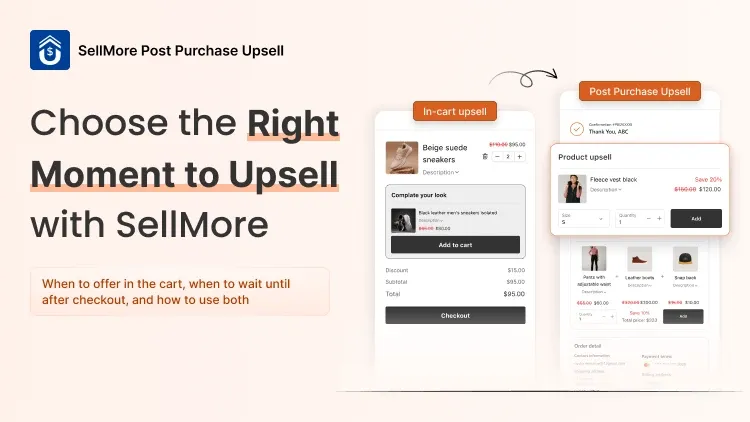
- Pre-purchase (in-cart) upsells appear before payment, on the product page, in the cart, or in a cart drawer.
- Post-purchase upsells appear after payment, on the post-purchase page, the Thank you page, or the Order status page.
| In-cart upsell | Post-purchase upsell | |
|---|---|---|
| Timing | Before payment | After payment |
| Where it appears | Product page, cart page, cart drawer (offers inside checkout need Shopify Plus) | Post-purchase page, Thank you page, Order status page |
| Customer mindset | Still deciding and comparing | Already bought, more open to a good deal |
| Risk to the original sale | Can distract or add friction if pushy | None; the order is already paid |
| Best offers | Upgrades, bundles, free-shipping top-ups | Complementary add-ons, refills, accessories |
| Example | "Add a second pair for 50% off" in the cart | "Add matching socks for 20% off" right after paying |
| Apps | iCart, BOGOS, Selleasy | SellMore, Candy Rack, Zipify OCU, Aftersell |
According to Shopify's developer documentation, the post-purchase page appears after payment and before the Thank you page. Customers can accept an offer there with one click, without re-entering payment details.
How In-Cart Upselling Works on Shopify
In-cart upsells show an upgrade, add-on, or bundle while the customer is still shopping. The two most common formats are:
Cart Pop-Up
A pop-up appears when the customer clicks the cart icon or adds a product, suggesting an upgrade or add-on. Adding a timer and a discount gives customers a reason to decide quickly.
Cart Drawer
A cart drawer slides out from the side of the screen when an item is added, so customers see their cart and your suggestions without leaving the page. It's less disruptive than a pop-up, which suits stores that want shoppers to keep browsing.
Where iCart fits: in-cart upsells are what iCart Cart Drawer Cart Upsell is built for, with cart drawers, pop-ups, bundles, progress bars, and a no-code cart editor. SellMore doesn't add offers to the cart, so the two work side by side.
Benefits of In-Cart Upsells
Higher Order Value Before Checkout
Offering premium products, bundles, or add-ons before checkout raises the value of the order the customer is about to place.
A Better Shopping Experience
A helpful suggestion, like the right case for a phone or a refill for a starter kit, saves customers time and makes them more likely to come back.
Lower Marketing Costs
Selling more to customers already in your store costs less than finding new ones. Raising order value means each ad dollar goes further.
The trade-off: in-cart offers appear while customers are still deciding. A pushy offer, or one that makes the cart feel more expensive, can push a hesitant shopper away.
How Post-Purchase Upselling Works on Shopify
Post-purchase upsells appear once the customer has paid. There are three places to show them:
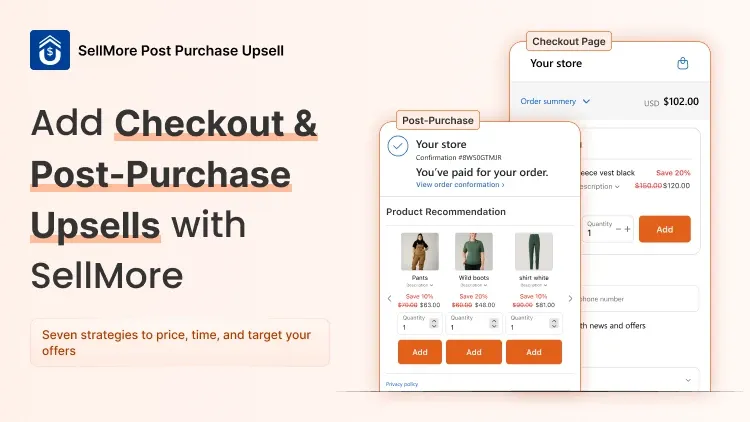
- Post-purchase page: shown right after payment. Customers accept with one click, and the product is added to the same order.
- Thank you page: shown once the order is confirmed. Good for recommendations and next-order discounts. With SellMore, customers usually accept with one click, and the product is added to the original order.
- Order status page: shown when the customer comes back to check on their order. Good for reorder offers.
Post-purchase upsells are often called "thank you page upsells," but the Thank you page and the post-purchase page are different pages. The post-purchase page is where Shopify's one-click offers happen, and with SellMore, Thank you page offers are usually one-click too
Benefits of Post-Purchase Upsells
No Re-Entering Payment Details
The customer's payment and shipping details are already in. On the post-purchase page, one click adds the product to their order, and SellMore's Thank you page offers work the same way in most cases.
No Risk to the Original Sale
The order is already paid. If the customer declines, nothing changes, so you can make a bolder offer than you would in the cart.
A Reason to Come Back
Thank you and Order status page offers, like a next-order discount or a refill recommendation, give customers a reason to return. That helps turn one-time buyers into repeat customers.
The trade-off: customers can only accept so much after paying. Shopify caps accepted post-purchase offers at three per checkout, and the post-purchase page doesn't appear for some payment methods, such as Apple Pay, Google Pay, and gift cards. A Thank you page offer covers those customers.
Best Apps for In-Cart Upsells
iCart Cart Drawer Cart Upsell
iCart covers in-cart upselling end to end: a cart drawer, cart pop-up, and full cart page, with AI cart upsells, product recommendations, bundles, free gifts, cart discounts, progress bars, and countdown timers, all built with a no-code cart editor.
BOGOS
BOGOS (formerly Free Gifts by Secomapp) covers BOGO and buy X get Y offers, free gifts with purchase, bundles and mix-and-match, volume discounts, and upsells, all through customizable widgets.
Selleasy
Selleasy supports multilingual in-cart upsell offers, created manually or with AI-powered suggestions, which suits stores selling across several languages.
Best Apps for Post-Purchase Upsells
SellMore Post Purchase Upsell
SellMore focuses on what happens after the customer pays:
- One-click offers on up to three post-purchase pages, with Pay now and Decline buttons.
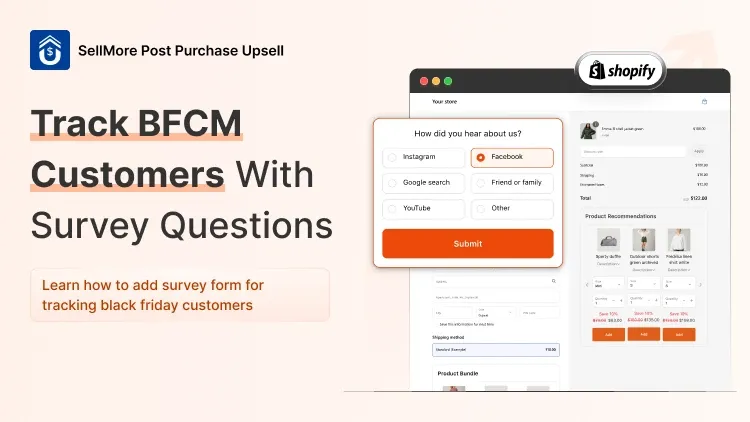
- Product upsells, recommendations, bundles, surveys, and next-order discount codes on the Thank you and Order status pages.
- Checkout page offers on Shopify Plus.
- Triggers based on order value, products, collections, tags, SKUs, shipping location, or discount codes, so each offer reaches the right orders.
- Discounts that apply automatically, with no codes to create.
Every plan includes all features, with pricing based on order volume rather than a share of your upsell revenue.
Candy Rack
Candy Rack shows upsell and cross-sell offers at every stage: product page, cart, checkout, and post-purchase. It also includes a built-in cart drawer and AI-picked upsells, which suits stores that want one app for both stages.
One Click Upsell by Zipify
Zipify OCU offers AI-powered pre-purchase and post-purchase upsell funnels, plus cart drawer and Thank you page offers, with A/B testing. Its pricing scales with the upsell revenue it generates.
Aftersell
Aftersell offers one-click post-purchase upsells and downsells, Thank you page customization with reviews and cross-sells, A/B testing, and checkout offers on Shopify Plus.
Which Should You Use?
| Your situation | Start with |
|---|---|
| Shoppers often leave items in the cart | In-cart offers that make the cart feel better value, like a free-shipping progress bar |
| Customers complete orders, but order value is flat | Post-purchase upsells |
| You sell consumables or refills | Post-purchase upsells, plus a next-order discount on the Thank you page |
| You sell high-ticket items | An in-cart upgrade, then a small post-purchase accessory |
| You want the most revenue per order | Both, with different products at each stage |
In our experience, the strongest setup uses both, with a clear rule: never offer the same product twice. Use the cart for upgrades and bundles that raise the order before payment, and save complementary add-ons for after checkout, because cross-sells and post-purchase upsells work best at different moments.
How to Run Both Without Overloading Customers
- Keep each stage to one or two offers. Too many choices slow the customer down at every step.
- Scale the price down. If the cart offer was a $30 upgrade, make the post-purchase offer a $10 add-on.
- Match offers to the order. A charging cable after a phone case, not after a pair of socks.
- Price after-checkout offers at a fraction of the order. A common rule of thumb is 10% to 30% of the order value. In our experience, checkout upsells priced to the customer's budget get accepted far more often than a second full-price product.
A setup you can copy: a skincare store uses iCart to show a "Complete your routine" bundle in the cart drawer. After checkout, SellMore offers a travel-size version of the main product at 20% off on the post-purchase page, and a 10% next-order code on the Thank you page.
Set Up Post-Purchase Upsells with SellMore
- Install SellMore and choose Quick setup, Manual setup, or Guided setup with the SellMore team.
- Make SellMore your post-purchase app. Click Activate the app, select SellMore Post Purchase Upsell in Shopify's checkout settings, and click Save. Then click Verify setup and Enable app.
- Build a template. Go to Template > Create a new template > Post purchase page and add an Upsell or Bundle widget.
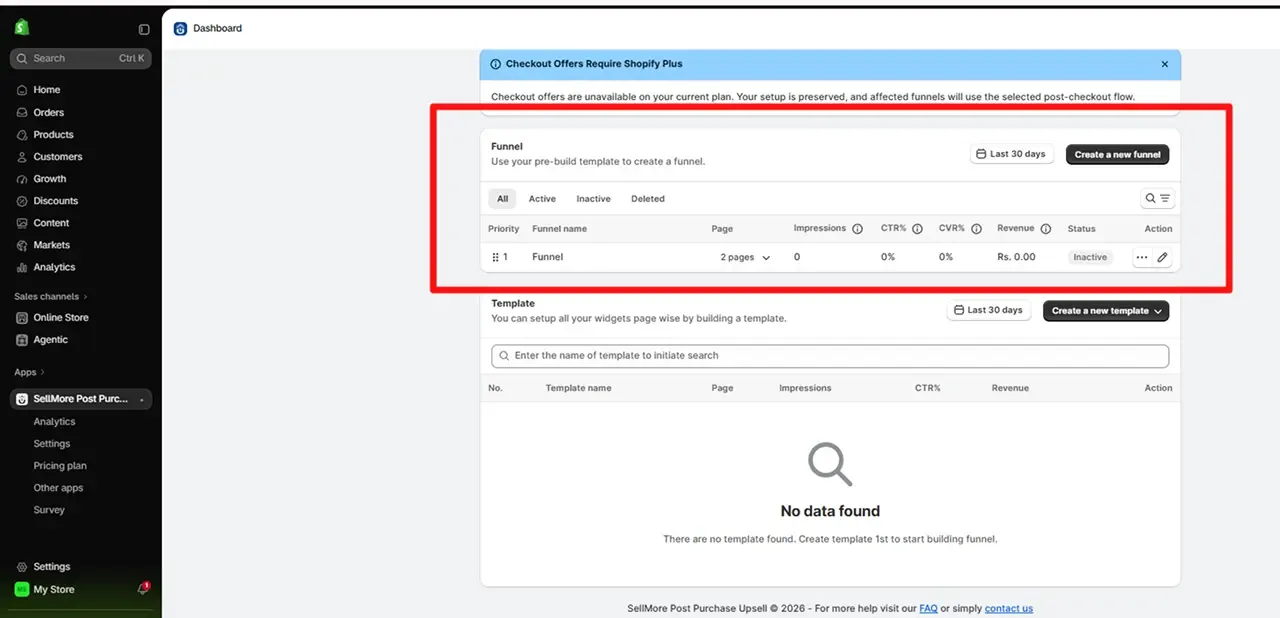
- Create a funnel. Click Create a new funnel, set a trigger, click the + next to Select page, choose your template, and click Save.
Use Both, in the Right Order
In-cart and post-purchase upsells aren't rivals. In-cart offers raise the order before payment, and post-purchase offers add to it once the sale is secure. Used together, with different products at each stage, they cover the whole buying journey.
With SellMore, you can add one-click offers after checkout and on the Thank you and Order status pages, without touching code. Every paid plan includes a 14-day free trial.