


Black Friday brings a large number of shoppers to Shopify stores. Merchants spend weeks preparing discounts, improving product pages, and running marketing campaigns to increase sales. But what happens after these customers complete their purchases?
This is when you have an opportunity to collect Shopify product reviews from customers who have purchased your products.
A customer who buys during Black Friday can share valuable feedback about product quality, delivery, packaging, and their overall shopping experience. These reviews can help future customers make purchasing decisions.
However, customers don't always leave reviews on their own. You need to ask them at the right time and make the process simple.
In this guide, you'll learn how to collect product reviews from Black Friday shoppers, automate review requests, and use SellMore to gather customer feedback after checkout.
Why Should Shopify Merchants Collect Reviews After Black Friday?
During Shopify Black Friday sales, merchants often attract first-time customers looking for attractive discounts. Once these shoppers receive their orders, their experiences can become useful feedback for your store.
Collecting reviews after Black Friday offers several benefits.
Build trust with new customers
Reviews from actual buyers help new visitors understand what to expect from a product. Details about size, quality, packaging, and usability can answer questions that product descriptions might miss.
Improve future sales
Customers often check reviews before purchasing unfamiliar products. Displaying genuine reviews can make buying decisions easier.
Understand product performance
Customer feedback reveals what shoppers appreciate and what needs improvement. For example, repeated comments about sizing can help you improve product descriptions.
Prepare for upcoming shopping seasons
Reviews collected after Black Friday can be displayed during Christmas, New Year, and future sales campaigns.
The important thing is to make review collection part of your post-purchase process rather than waiting for customers to leave feedback voluntarily.
How to Collect Shopify Product Reviews from Black Friday Shoppers with SellMore
Besides collecting public product reviews, Shopify merchants can gather valuable feedback directly after checkout.
This is where SellMore Post Purchase Upsell can help.
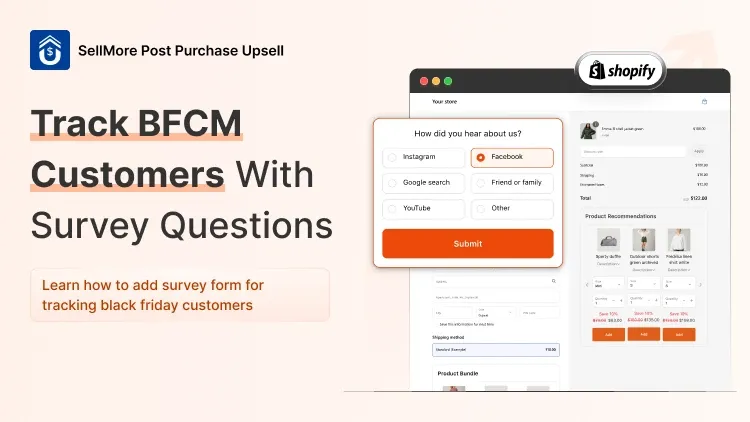
SellMore offers a Survey Widget that allows merchants to ask questions on post-purchase, Thank You, and Order Status pages.
You can use it to understand the shopping experience, product preferences, and customer satisfaction.
Step 1: Create a Survey Widget in SellMore
After installing and activating SellMore on your Shopify store, open the app and create or edit the appropriate page template.
Add the Survey Widget to your selected page.

SellMore supports different survey question types, including rating scales, single-choice questions, multiple-choice questions, short text responses, and dropdowns.
For Black Friday campaigns, start with one or two simple questions.
For example:
Question: How was your Black Friday shopping experience?
Response type: Rating scale from 1 to 5.
Question: What influenced your purchase?
Response type: Single choice.
Possible responses: Black Friday discount, product reviews, product quality, recommendation, or another reason.
These questions help you understand customer expectations immediately after a purchase.
Step 2: Choose Where to Display Your Survey
SellMore supports survey placement at different stages of the customer journey.

Thank You Page
Display questions about the checkout experience or why customers purchased from your store.

Post-Purchase Page
Ask about product interests or the offers customers received after checkout.
Order Status Page
Use this page to collect feedback about delivery or packaging when customers revisit it after receiving their orders.
Keep questions relevant to the customer's stage. Someone who just checked out cannot accurately review a product they haven't received.
Step 3: Review Customer Responses
Check your survey responses regularly.
For example, customers might report that your Black Friday discount was attractive but shipping information was unclear.
You can use this feedback to improve future campaigns, product information, and customer support.
Important: SellMore's Survey Widget collects customer feedback. It does not replace a dedicated product-review app for publishing verified product reviews on your storefront.
You can learn more in the SellMore Survey Widget guide.
How to Display Product Reviews with SellMore
Collecting product reviews is only one part of your strategy. You should also make existing reviews visible where customers can see them.
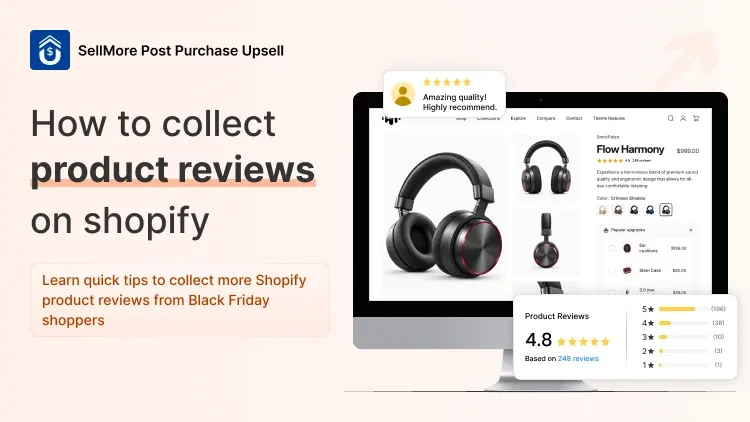
SellMore provides a Review Widget that helps merchants display reviews from supported review apps in their post-purchase experience.
SellMore supports integrations with review platforms such as Judge.me, Loox, Yotpo, Junip, Stamped, Rivyo, and Ali Reviews.
To use reviews in SellMore:
Connect your supported product-review app.
Create or edit your SellMore Thank You page template.
Add the Review Widget or enable supported star-rating display options.
Preview the page before publishing.
Displaying customer reviews alongside relevant offers can provide additional product information to customers considering another purchase.
For your main storefront, use your review app's supported widgets to display reviews on product pages.
How to Handle Negative Reviews After Black Friday
Not every Black Friday customer will have a positive experience.
Some customers might face delivery delays, damaged packaging, sizing problems, or incorrect orders.
Instead of ignoring these reviews, use them to understand and resolve problems.
For example, if a customer reports receiving the wrong product size, acknowledge the issue and explain how they can contact your support team.
Avoid requesting only positive reviews or pressuring customers to change negative feedback.
Shop's review guidelines also prohibit compensation, discounts, or free products in exchange for reviews.
Genuine feedback is more useful than a collection of positive ratings that doesn't accurately represent customer experiences.
Conclusion
Black Friday doesn't have to end when customers complete their purchases. It's an opportunity to collect genuine Shopify product reviews and understand what customers think about your products and shopping experience.
Start by identifying delivered orders, sending review requests at the right time, and making the submission process simple.
You can also use SellMore Post Purchase Upsell to collect customer feedback through surveys and display reviews from supported review apps.
Together, these steps can help you learn from your Black Friday customers and build a better shopping experience for future buyers.