


Black Friday and Cyber Monday (BFCM) bring more visitors, orders, and sales to Shopify stores. You might be running Facebook ads, sending promotional emails, working with influencers, or offering special discounts to attract shoppers.
But once the sale ends, how do you know which marketing channels actually brought customers to your store?
Shopify Analytics can show where visitors came from, but it may not tell you every interaction that influenced their purchase.
For example, a customer might discover your products through an Instagram influencer, visit your store later through Google, and finally purchase after receiving a Black Friday email.
Which channel deserves credit?
This is where a post purchase survey becomes useful.
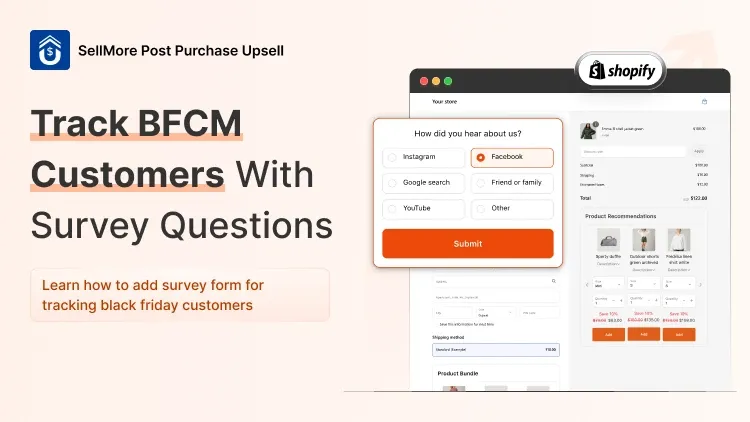
By asking customers a simple question like "How did you hear about us?" after checkout, you can understand where they discovered your brand and what encouraged them to buy.
In this guide, we'll explore the best survey questions for BFCM customers and how to collect their responses using SellMore Post Purchase Upsell on Shopify.
What Is a Post Purchase Survey on Shopify?
A post purchase survey is a short questionnaire that customers see after completing an order.
Instead of asking visitors to fill out a form while shopping, you collect their feedback after they've made a purchase.
For Shopify merchants, these surveys help answer questions such as:
Where did customers first discover our store?
Which BFCM marketing campaigns influenced their purchases?
What encouraged shoppers to purchase during Black Friday?
Were customers happy with their shopping experience?
What products would they like to buy next?
You can display a post purchase survey on your Shopify Thank You page or another supported post-checkout page.
Since customers have already completed their orders, they can answer without interrupting the buying process.
8 Best “How Did You Hear About Us?” Survey Questions for BFCM
You don't need to ask customers eight questions at once. Instead, choose two or three that match what you want to learn.
Here are practical questions Shopify merchants can use during Black Friday and Cyber Monday.
1. How Did You First Hear About Us?
Best for: Understanding where customers originally discovered your brand.
Suggested answers:
Instagram
Facebook
TikTok
Google Search
YouTube
Influencer or content creator
Friend or family
AI search or assistant
Other / I don't remember
This is the most important question for your post purchase survey if you want to understand brand discovery.
For example, a customer may purchase through a Google ad but select TikTok because that's where they first saw your brand.
The two signals tell you different things about their buying journey.
2. Where Did You See Our Black Friday Sale?
Best for: Identifying where shoppers noticed your BFCM promotion.
Suggested answers:
Instagram or Facebook
Google
Email newsletter
SMS or WhatsApp
Influencer promotion
Website banner
Friend or family
Other
Unlike the first question, this focuses on your Black Friday promotion rather than the customer's original discovery of your brand.
3. What Encouraged You to Purchase Today?
Best for: Understanding purchase motivation.
Suggested answers:
Black Friday discount
Free shipping
Buy One Get One offer
Product bundle
Limited-time deal
I already planned to purchase
If customers frequently select free shipping, you can test highlighting shipping benefits more prominently in future campaigns.
4. Which Marketing Channel Influenced Your Purchase Most?
Best for: Understanding which channel shoppers believe played the biggest role in their decision.
Suggested answers:
Social media advertisement
Influencer recommendation
Email promotion
Google Search
Customer review
Recommendation from someone I know
This question is different from asking where customers first heard about you.
For example, they may discover your brand on Instagram but decide to purchase after reading customer reviews.
5. Is This Your First Purchase From Our Store?
Best for: Understanding the mix of new and returning customers.
Suggested answers:
Yes, this is my first purchase.
No, I've purchased before.
This helps you understand whether your BFCM campaign is attracting first-time buyers or encouraging existing customers to return.
For returning customers, you can also ask what brought them back.
6. What Almost Stopped You From Completing Your Purchase?
Best for: Finding problems in your shopping experience.
Suggested answers:
Shipping costs
Product price
Delivery time
Product information
Payment options
Nothing
If many customers mention shipping costs, consider testing clearer shipping information or different free-shipping offers.
7. Which Products Would You Like to See in Our Next Sale?
Best for: Planning future promotions and product recommendations.
Suggested answers:
New arrivals
Best-selling products
Accessories
Product bundles
Seasonal collections
This information can help you choose products for future campaigns and post-purchase offers.
8. How Would You Rate Your Shopping Experience?
Best for: Collecting immediate customer feedback.
Use a rating scale from 1 to 5 or 1 to 10.
This helps you understand how customers feel after completing checkout.
Remember that an immediate rating reflects the buying experience, not product quality or delivery satisfaction. Ask about those later, once customers have received their orders.
How to Add a Post Purchase Survey on Shopify Using SellMore
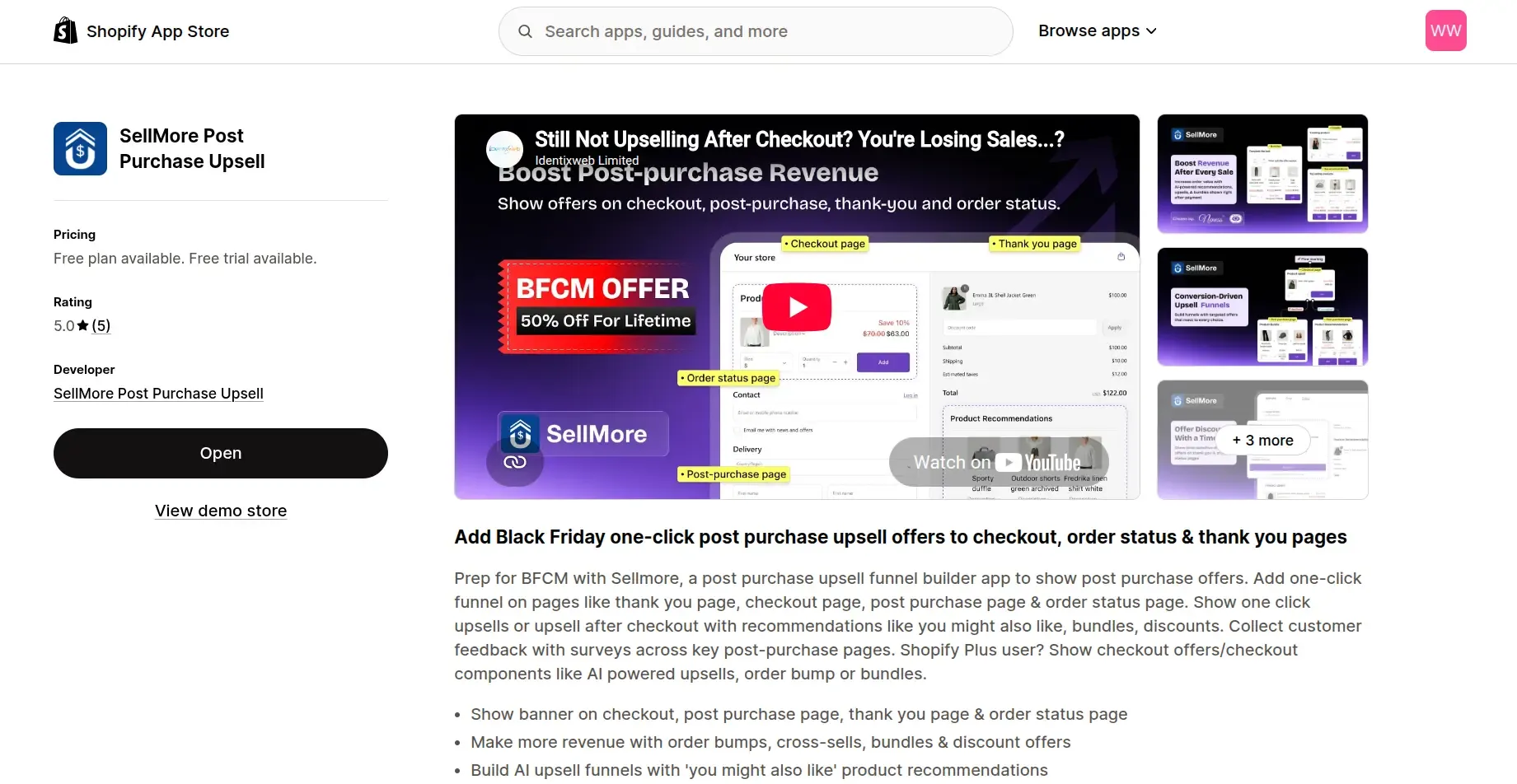
You can create surveys with SellMore Post Purchase Upsell, which includes a Survey Widget for collecting customer feedback.
SellMore supports five survey question formats:
These options let you collect different types of customer feedback without creating a complicated survey.
Step 1: Open SellMore on Shopify
Install SellMore and open the app from your Shopify admin.
Make sure the app is enabled and the required page setup is complete.
Step 2: Create a Thank You Page Template
In SellMore, go to Template > Create a new template.
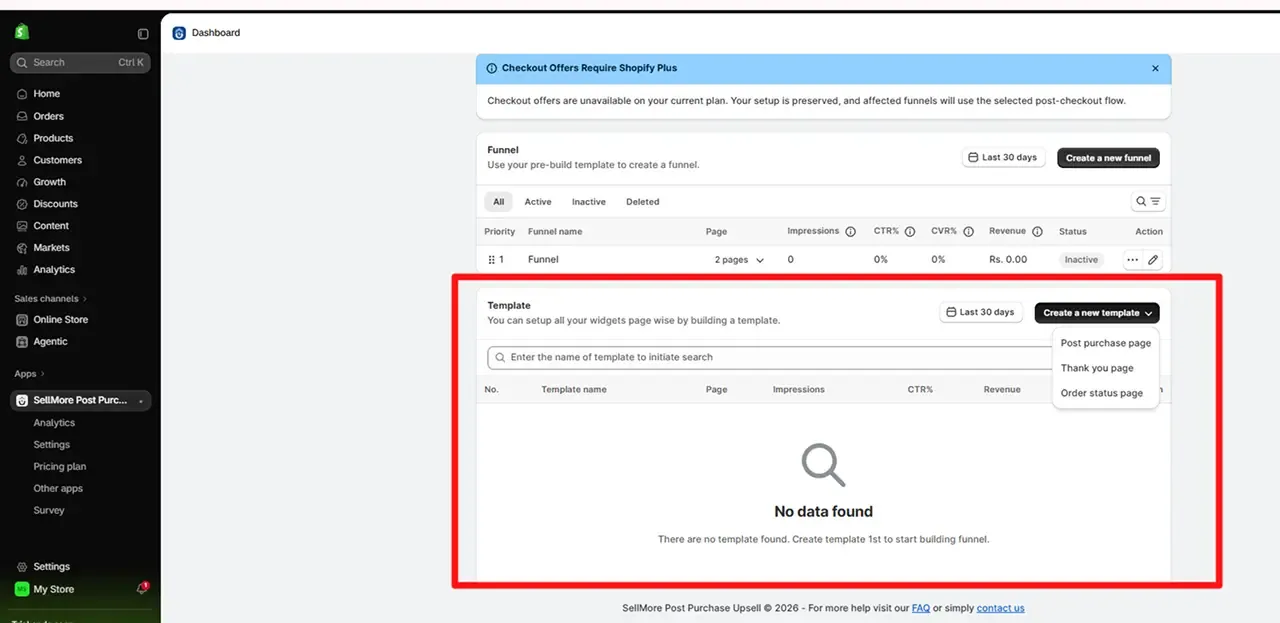
Choose the Thank You page, select a slot, and create your template.
For a first BFCM survey, the Thank You page is a practical choice because customers see it after completing their orders.
Step 3: Add the Survey Widget
Open your template editor and add a Survey Widget.
Choose the appropriate question type.
For your first question, select Single Choice and enter:
How did you first hear about us?
Add options such as Instagram, Facebook, Google Search, TikTok, Influencer, and Friend or Family.
Use a separate question to learn which BFCM promotion influenced the purchase.
Step 4: Configure Your Survey
Choose question types that match the information you want.
For example:
Single choice for the customer's primary discovery channel.
Multiple choice for promotions they saw.
Short text for additional feedback.
Keep the wording short and the answer options clear.
Step 5: Set Up the Page Placement
Add SellMore's required app block or slot to your Shopify Thank You page through Shopify's checkout and accounts editor.
You can access the editor from Shopify Admin > Settings > Checkout.
Create or update the appropriate SellMore funnel, connect your template, and activate it.
Shopify Plus is required for SellMore's checkout-page survey placement, but supported Thank You and Order Status page app blocks can be used on other eligible Shopify plans.
Step 6: Test and Publish
Before launching the survey:
Preview the Thank You page on desktop and mobile.
Check that all questions and answer options display correctly.
Complete a test order and submit survey responses.
Verify that the setup works as expected.
You can follow SellMore's official Survey Widget guide and funnel setup instructions for additional details.
Start Tracking Your BFCM Customers With SellMore
Black Friday brings valuable sales opportunities, but understanding your customers is just as important as generating orders.
A simple "How did you hear about us?" question can help you discover which channels introduce shoppers to your brand.
With SellMore Post Purchase Upsell, you can add survey questions to your Shopify post-purchase journey, collect customer feedback, and use those insights to plan better marketing campaigns.
Instead of guessing what worked during BFCM, start asking your customers.
Explore SellMore's Survey Widget and create your first Shopify post-purchase survey.